
What Do Website Maintenance Services Include?
A Comprehensive Guide
Contact us to discuss your Website Maintenance requirements.
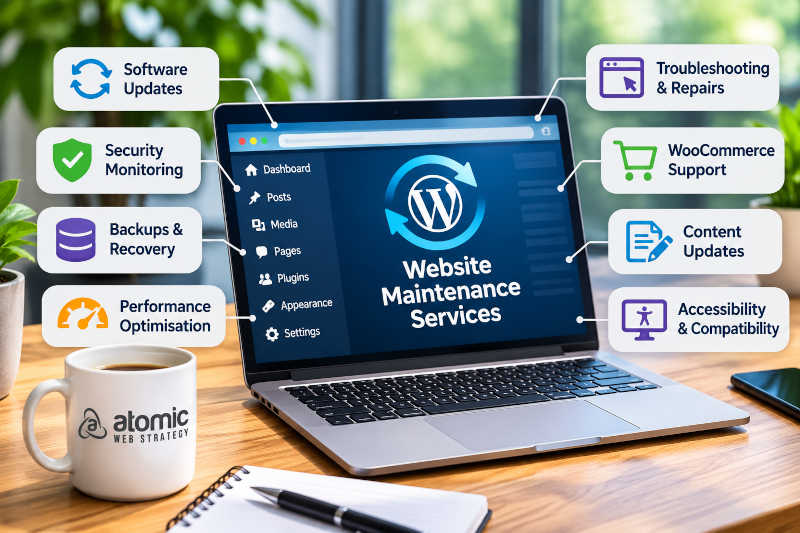
A website is not something you build once and then forget about.
WordPress core, plugins, themes, PHP versions, hosting environments, forms, integrations and security requirements all change over time. Even a website that appears to be working normally can develop issues behind the scenes if it is not maintained properly.
That is where professional website maintenance services come in.
Website maintenance can include everything from routine software updates and backups through to troubleshooting, performance improvements, security monitoring and content changes.
The exact level of support depends on the website, but the goal is generally the same: to keep the site secure, functional, up to date and working as expected.
What Are Website Maintenance Services?
Website maintenance services are ongoing tasks designed to keep a website operating correctly after it has been launched.
For WordPress websites, this often includes:
- WordPress core updates;
- plugin updates;
- theme updates;
- backups;
- security monitoring;
- compatibility checks;
- troubleshooting;
- performance optimisation;
- content changes;
- form testing;
- link checks; and
- general technical support.
Some businesses only need occasional help when something breaks.
Others prefer regular maintenance so that issues can be identified and addressed before they become larger problems.
1. WordPress Core Updates
WordPress regularly releases updates that can include:
- security patches;
- bug fixes;
- performance improvements;
- compatibility changes; and
- new functionality.
Keeping WordPress up to date helps reduce security risks and ensures the website remains compatible with modern hosting environments and plugins.
However, updates should not simply be installed blindly.
A major WordPress update can sometimes expose compatibility problems with themes, plugins or custom functionality.
Professional maintenance often involves checking the site before and after updates rather than assuming everything will continue working correctly.
2. Plugin Updates
Most WordPress websites rely on plugins for functionality.
These might include plugins for:
- forms;
- SEO;
- backups;
- security;
- caching;
- WooCommerce;
- memberships;
- learning management;
- accessibility;
- analytics; and
- custom functionality.
Plugins are updated frequently, and those updates may contain security patches, bug fixes or compatibility changes.
Ignoring plugin updates can leave a site vulnerable or cause older functionality to become incompatible with newer versions of WordPress or PHP.
At the same time, updating plugins without checking compatibility can occasionally create problems.
That is why plugin maintenance is not simply a matter of clicking Update All.
3. Theme Updates
WordPress themes also require ongoing maintenance.
Theme updates may include:
- compatibility fixes;
- security patches;
- performance improvements;
- design improvements; and
- support for newer WordPress features.
If a website uses a child theme or custom code, extra care may be required during updates to make sure customisations are not affected.
4. Website Backups
Reliable backups are one of the most important parts of website maintenance.
If something goes wrong, a current backup can make the difference between a quick recovery and a major disruption.
Backups may include:
- website files;
- the WordPress database;
- uploaded media;
- plugin and theme files; and
- configuration data.
Good maintenance should also consider where backups are stored.
Keeping every backup on the same server as the website may not be enough if the hosting environment itself becomes unavailable or compromised.
5. Security Monitoring
WordPress is widely used, which also makes it a common target for automated attacks.
Website maintenance may include:
- security scans;
- malware monitoring;
- suspicious login monitoring;
- firewall configuration;
- software updates;
- vulnerability checks; and
- reviewing unusual website behaviour.
Security maintenance does not guarantee that a site can never be compromised, but it can significantly reduce unnecessary risk.
Many WordPress security problems begin with outdated plugins, weak credentials or vulnerabilities that have already been publicly identified.
Regular maintenance helps reduce that exposure.
6. PHP and Server Compatibility
WordPress does not operate in isolation.
It also depends on the server environment, including technologies such as PHP and MySQL.
Hosting providers periodically retire older PHP versions and encourage websites to move to newer supported versions.
This can create compatibility problems with:
- older plugins;
- older themes;
- custom code;
- outdated page builders; and
- legacy functionality.
A website may appear to work perfectly on one PHP version and then develop errors when the hosting environment changes.
Professional website maintenance can include checking compatibility before making these changes and troubleshooting problems when they arise.
7. Troubleshooting Broken Functionality
One of the most valuable parts of professional website maintenance is having someone available when something stops working.
Problems might include:
- pages displaying incorrectly;
- forms failing to send;
- checkout issues;
- broken layouts;
- plugin conflicts;
- PHP errors;
- website crashes;
- missing content;
- broken navigation; and
- unexpected behaviour following an update.
These problems are not always caused by a single obvious issue.
A plugin update might conflict with a theme.
A PHP upgrade might expose outdated code.
A caching layer might prevent new changes from appearing.
A developer with experience in WordPress troubleshooting can usually diagnose these issues more efficiently than someone working through trial and error.
8. Content Updates
Website maintenance can also include ordinary content changes.
These may involve:
- editing page text;
- replacing images;
- updating staff profiles;
- adding new services;
- changing contact details;
- updating pricing;
- publishing blog posts;
- uploading documents; and
- creating new pages.
This can be particularly useful for businesses that do not want to maintain WordPress internally.
9. Form Testing
Website forms are easy to overlook because they may continue looking correct even when something behind the scenes has stopped working.
Common form issues include:
- emails not being delivered;
- SMTP problems;
- spam filtering;
- broken validation;
- outdated integrations; and
- forms that stop working after plugin updates.
A contact form that silently fails can result in lost enquiries without anyone realising there is a problem.
Regular testing helps identify those issues earlier.
10. WooCommerce Maintenance
WooCommerce websites usually require more maintenance than simple brochure websites.
An online store may rely on:
- WooCommerce itself;
- payment gateways;
- shipping integrations;
- product add-ons;
- subscriptions;
- memberships;
- email systems;
- tax settings;
- inventory tools; and
- third-party APIs.
Changes to any of these systems can affect how the store operates.
WooCommerce maintenance may therefore include:
- testing checkout functionality;
- reviewing payment gateway compatibility;
- checking order emails;
- updating extensions;
- troubleshooting plugin conflicts;
- testing product functionality; and
- reviewing site performance.
For an ecommerce website, maintenance is not simply a technical convenience. Problems can directly affect sales.
11. Website Performance
Website performance can change over time.
A site may gradually slow down because of:
- larger images;
- additional plugins;
- database growth;
- caching issues;
- tracking scripts;
- server configuration;
- third-party integrations; or
- changes made by other users.
Maintenance may include reviewing:
- page load speed;
- caching;
- image optimisation;
- database performance;
- plugin overhead; and
- hosting configuration.
Performance work is particularly important when a site has changed significantly since it was originally built.
12. Broken Links and Website Errors
Broken links can create a poor user experience and make a website look neglected.
They can occur when:
- pages are deleted;
- URLs change;
- external websites move content;
- documents are removed; or
- internal links are entered incorrectly.
Regular maintenance may include checking for broken links and updating them where appropriate.
Other website errors, such as missing images or broken embedded content, can also be identified during routine reviews.
13. SEO Maintenance
Website maintenance and SEO are not exactly the same service, but there is often some overlap.
Technical website problems can affect search performance.
Examples include:
- broken internal links;
- slow pages;
- indexing problems;
- missing redirects;
- duplicate pages;
- broken metadata;
- inaccessible content; and
- website errors.
A maintenance provider with SEO knowledge is better placed to understand when a technical change could affect search visibility.
That can be particularly useful when making larger changes to an existing website.
14. Website Accessibility
Website accessibility also needs ongoing attention.
A website may originally be built with accessibility in mind, but later changes can introduce new problems.
For example:
- new images may be uploaded without appropriate alternative text;
- headings may be used incorrectly;
- new content may have poor contrast;
- forms may be changed;
- buttons may become difficult to understand;
- plugins may introduce inaccessible controls; or
- new page layouts may create keyboard navigation issues.
A maintenance provider with accessibility experience can help identify these problems during ongoing website work.
15. Software Compatibility Testing
Modern WordPress websites often rely on many different components working together.
These can include:
- WordPress;
- themes;
- page builders;
- plugins;
- PHP;
- hosting software;
- caching tools;
- CDN services; and
- third-party integrations.
When one component changes, another can occasionally stop working as expected.
Compatibility testing is therefore an important part of maintenance, especially on more complex websites.
16. One-Off Repairs vs Ongoing Website Maintenance
Not every business needs a monthly maintenance arrangement.
Some organisations prefer one-off support when they need:
- a broken website repaired;
- software updated;
- a plugin conflict resolved;
- a performance issue investigated;
- malware removed;
- a form repaired; or
- content changed.
Others prefer ongoing maintenance so that updates, backups and technical issues are handled regularly.
The best approach depends on:
- the complexity of the website;
- how important the website is to the business;
- whether it generates leads or sales;
- how frequently content changes; and
- whether someone internally is responsible for technical maintenance.
What Happens If You Do Not Maintain a Website?
A neglected website may continue working normally for months or even years.
The problem is that the risk tends to increase over time.
Potential issues include:
- outdated software;
- security vulnerabilities;
- compatibility problems;
- broken forms;
- plugin conflicts;
- degraded performance;
- unsupported PHP versions;
- failed backups; and
- difficulty completing larger upgrades later.
The longer a website remains untouched, the more complicated it can become to bring everything up to date safely.
Regular maintenance can help prevent a manageable update from becoming a larger repair job.
Can You Maintain a WordPress Website Yourself?
Yes.
Many businesses successfully handle basic WordPress maintenance internally.
If the website is simple and someone is comfortable with WordPress, tasks such as content changes and routine updates may be manageable.
The challenge comes when something goes wrong.
Before updating a live site, someone needs to consider questions such as:
- Is there a current backup?
- Can the site be restored if the update fails?
- Are the plugins compatible with the current PHP version?
- Does the website use custom functionality?
- Is there a staging environment?
- What should happen if an update breaks the site?
Professional support becomes more valuable as the website becomes more complex or important to the business.
What Should Website Maintenance Services Include?
There is no single package that suits every website.
A good maintenance service should be based on the needs of the site rather than an arbitrary checklist.
Depending on the website, useful services may include:
- software updates;
- backups;
- security checks;
- troubleshooting;
- content changes;
- performance work;
- form testing;
- WooCommerce support;
- compatibility testing;
- technical SEO awareness; and
- accessibility awareness.
The important distinction is whether the provider can actually diagnose and resolve problems when they occur.
Running updates is relatively simple.
Understanding why an update broke the website and how to fix it requires considerably more technical knowledge.
Website Maintenance Services from Atomic Web Strategy
Atomic Web Strategy provides website maintenance services for WordPress and WooCommerce websites.
We can help with both ongoing maintenance and one-off technical support, including:
- WordPress software updates;
- plugin and theme updates;
- troubleshooting;
- website repairs;
- WooCommerce support;
- PHP and compatibility issues;
- security problems;
- content changes;
- website performance;
- forms and integrations; and
- general WordPress support.
Because our work also includes WordPress development, WooCommerce, SEO and accessibility, we can look at website maintenance from a broader technical perspective rather than simply applying software updates.
If an update causes a problem, a plugin stops working or a website develops an unexpected issue, we can investigate what is actually happening and determine the appropriate fix.
Need Help Maintaining Your Website?
A well-maintained website should remain secure, functional and compatible as the technology around it changes.
Whether you need ongoing support or help fixing an existing issue, Atomic Web Strategy can assist with WordPress and WooCommerce websites.
Visit our website maintenance and support services page or contact us with details of your website and the help you need.
We can review the situation and recommend an appropriate next step.
Lets start a Project together!
Request a Free Quote