
How Much Does Website Maintenance Cost?
A Comprehensive Guide
Contact us to discuss your Website Maintenance requirements.
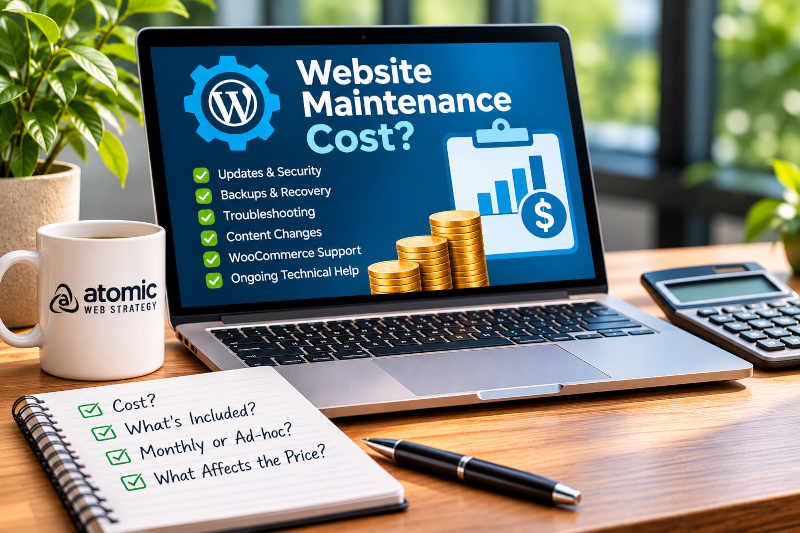
Website maintenance costs can vary enormously.
A simple WordPress website that only needs routine software updates may cost relatively little to maintain, while a busy WooCommerce store or a website with custom functionality can require significantly more ongoing technical support.
The price also depends on what is actually included.
Some website maintenance services cover little more than WordPress updates and backups. Others include security monitoring, troubleshooting, performance work, content changes, WooCommerce support and access to a developer when something goes wrong.
So, how much should you expect to pay for website maintenance?
In this article, we explain the factors that influence website maintenance costs, the difference between monthly plans and ad-hoc support, and what businesses should look for when comparing maintenance providers.
What Is Website Maintenance?
Website maintenance is the ongoing work required to keep a website secure, functional, current and compatible with the technology around it.
For a WordPress website, this can include:
- WordPress core updates;
- plugin and theme updates;
- website backups;
- security monitoring;
- compatibility testing;
- troubleshooting;
- performance optimisation;
- content updates;
- form testing;
- WooCommerce support;
- PHP and server compatibility; and
- general technical support.
For a more detailed breakdown, see What Do Website Maintenance Services Include?.
The important point when comparing prices is that not every maintenance service includes the same work.
A $50-per-month package and a $500-per-month package may both be described as “website maintenance”, but they may provide very different levels of support.
How Much Does Website Maintenance Cost in Australia?
There is no single standard price for website maintenance in Australia.
At the lower end, basic WordPress care plans covering updates, backups and monitoring can be available for around $100–$300 per month.
More comprehensive agency services can cost substantially more, particularly where the monthly fee includes development time, priority support, performance work, marketing support or continuous website improvements. Some Australian agencies advertise managed website-care retainers beginning in the thousands of dollars per month.
That wide range is why the advertised monthly price on its own tells you very little.
The more useful question is:
What am I actually getting for the money?
What Affects the Cost of Website Maintenance?
Several factors influence how much it costs to maintain a website.
1. The Size and Complexity of the Website
A simple five-page WordPress website generally requires less maintenance than a large website containing:
- hundreds of pages;
- custom functionality;
- multiple forms;
- membership features;
- integrations;
- ecommerce;
- booking systems; or
- specialised plugins.
The more moving parts a website has, the more opportunities there are for compatibility problems and technical issues.
A larger or more complex site may therefore require more testing after software updates and more time when something goes wrong.
2. WordPress vs WooCommerce
WooCommerce websites generally require more attention than standard brochure websites.
An ecommerce site may rely on:
- WooCommerce;
- payment gateways;
- shipping extensions;
- inventory systems;
- subscriptions;
- product add-ons;
- tax integrations;
- email systems; and
- third-party APIs.
If an ordinary content page develops a problem, it may be inconvenient.
If a checkout stops working, the business can lose sales.
That additional complexity and commercial risk is one reason WooCommerce maintenance plans often cost more than equivalent WordPress plans.
3. How Frequently the Website Changes
A website that changes very little may only require routine technical maintenance.
Another site might regularly need:
- new pages;
- blog posts;
- new products;
- pricing changes;
- staff updates;
- event information;
- new landing pages; or
- image and document uploads.
If content changes are included within the maintenance arrangement, the required time can significantly affect the monthly cost.
This is worth checking carefully when comparing plans.
Some maintenance providers include a limited amount of content or development work each month, while others charge separately for any work beyond software maintenance.
4. The Number of Plugins
Plugins are one of the strengths of WordPress, but every additional plugin introduces another piece of software that needs to remain compatible with:
- WordPress itself;
- the theme;
- PHP;
- other plugins; and
- the hosting environment.
A simple site using a relatively small collection of established plugins may be straightforward to maintain.
A site running dozens of plugins from different developers may require considerably more care when performing updates.
The number of plugins alone does not determine the cost, but it can contribute to the complexity.
5. Custom Code and Functionality
Custom functionality can require additional testing during maintenance.
For example, a website might contain:
- a custom WordPress plugin;
- custom theme functionality;
- API integrations;
- specialised checkout behaviour;
- custom database functionality; or
- bespoke business logic.
A routine software update can sometimes expose compatibility problems in custom code that has worked perfectly for years.
Maintenance for these websites requires someone capable of diagnosing and modifying code rather than simply installing updates.
6. Security Requirements
The level of security monitoring can also affect website maintenance costs.
Basic maintenance might include:
- keeping WordPress updated;
- plugin updates;
- regular backups; and
- malware scanning.
More comprehensive arrangements may also include:
- uptime monitoring;
- firewall management;
- vulnerability monitoring;
- security hardening;
- malware removal;
- suspicious login investigation; and
- emergency recovery.
A website that handles ecommerce transactions, personal information or important business processes may justify more comprehensive monitoring than a small informational site.
7. Backup Requirements
Backups can range from simple automated copies to more comprehensive disaster-recovery arrangements.
Factors may include:
- how frequently backups are taken;
- whether they are stored off-site;
- how long backups are retained;
- whether database and file backups are separated;
- how quickly the site can be restored; and
- whether restoration is included in the maintenance plan.
For an ecommerce site receiving orders throughout the day, backup requirements may be quite different from those of a small website that changes once a month.
8. How Much Technical Support Is Included?
This is one of the biggest differences between maintenance providers.
A cheap plan may perform scheduled updates but provide very little assistance if the website actually breaks.
A more comprehensive service may include access to an experienced WordPress developer who can investigate:
- plugin conflicts;
- server errors;
- PHP problems;
- broken layouts;
- failed forms;
- WooCommerce issues;
- database problems; and
- custom functionality.
That difference matters.
Applying an update is generally easy.
Diagnosing why an update caused a website to stop working is where technical expertise becomes valuable.
Monthly Website Maintenance vs Ad-Hoc Support
Businesses generally have two ways of paying for website maintenance:
Monthly Maintenance
A monthly arrangement provides ongoing maintenance for a recurring fee.
This may include routine tasks such as:
- updates;
- backups;
- security checks;
- monitoring; and
- an allocation of technical support.
The advantage is predictability.
The website is being looked after regularly rather than only receiving attention when something goes wrong.
Ad-Hoc Website Support
With ad-hoc support, you contact a developer when you need something fixed or changed.
You might pay:
- an hourly rate;
- a minimum support charge; or
- a fixed price for the particular job.
This can make sense for smaller websites that rarely require attention.
However, it is reactive rather than proactive.
If nobody is responsible for checking updates, backups and security between support requests, problems can accumulate unnoticed.
Is Monthly Website Maintenance Cheaper Than Paying Hourly?
Not necessarily.
It depends on how much support your website actually requires.
For a simple website that rarely changes, paying for occasional assistance may be more economical than a large monthly maintenance package.
For a busy website, monthly support can provide better value because routine maintenance is performed consistently and technical help is already available.
There is also a risk consideration.
A business that relies heavily on its website for leads or online sales may place greater value on:
- regular monitoring;
- reliable backups;
- faster support; and
- preventative maintenance.
The cheapest option is therefore not automatically the best-value option.
What Is Included in a Cheap Website Maintenance Plan?
Low-cost maintenance plans commonly concentrate on tasks that can be largely automated.
These may include:
- WordPress updates;
- plugin updates;
- theme updates;
- automated backups;
- uptime monitoring; and
- security scans.
There is nothing inherently wrong with this approach.
For a simple website, it may be exactly what is needed.
The important thing is to understand what happens when an automated task discovers a problem.
For example:
- What happens if a plugin update breaks the site?
- Is troubleshooting included?
- Will somebody restore the backup?
- Does the provider investigate plugin conflicts?
- Are content changes included?
- Is malware removal included?
- Is there an additional hourly charge?
These questions can reveal much more about the true cost of a maintenance plan than the headline monthly price.
What Does More Comprehensive Website Maintenance Include?
A more comprehensive service may combine preventative maintenance with access to technical expertise.
Depending on the provider, this might include:
- routine WordPress updates;
- backups and restoration;
- security monitoring;
- troubleshooting;
- performance optimisation;
- content changes;
- WooCommerce support;
- PHP compatibility work;
- form troubleshooting;
- website repairs;
- staging-site testing;
- technical SEO considerations; and
- accessibility considerations.
Some agencies also include a fixed allocation of development hours each month.
That can be useful for organisations that continually improve their website rather than simply maintaining its existing state.
Does Website Hosting Include Maintenance?
This is an important distinction.
Managed WordPress hosting may provide:
- server maintenance;
- automated backups;
- caching;
- security features;
- WordPress-specific hosting tools; and
- sometimes automated software updates.
However, hosting support does not necessarily include maintaining the website itself.
A hosting company may keep the server running while declining to repair:
- a plugin conflict;
- broken Elementor layout;
- WooCommerce issue;
- custom code error;
- failed integration; or
- website content problem.
When comparing website maintenance costs, check whether you are buying hosting infrastructure, website maintenance, or both.
They are related services, but they are not the same thing.
Can You Maintain a WordPress Website Yourself?
Yes.
For a simple website, business owners can often handle basic tasks themselves.
WordPress makes installing routine updates relatively straightforward.
The bigger question is whether you are comfortable dealing with the situation if an update fails.
Before maintaining a business website yourself, you should ideally know:
- whether a current backup exists;
- how to restore that backup;
- whether the site can be tested safely;
- how to identify plugin conflicts;
- how to access the hosting environment;
- what to do if WordPress becomes inaccessible; and
- how to recover from a failed update.
For some businesses, learning and managing these tasks makes sense.
For others, the time and potential disruption are more expensive than having someone else manage them.
How Much Should a Small Business Spend on Website Maintenance?
There isn’t a universal answer.
The appropriate budget should reflect how important the website is to the business.
A small informational site that generates few enquiries and rarely changes may only require relatively basic maintenance.
A website that is responsible for:
- generating leads;
- taking bookings;
- processing sales;
- accepting payments;
- delivering online courses; or
- supporting customers
deserves a different level of care.
A useful way to think about maintenance is not simply:
“How much does the maintenance cost?”
but:
“What would it cost the business if this website stopped working?”
That gives a much better indication of the appropriate level of maintenance.
Questions to Ask a Website Maintenance Provider
Before choosing a provider, ask exactly what the quoted price includes.
Useful questions include:
- Are WordPress, plugin and theme updates included?
- Are backups taken and stored off-site?
- What happens if an update breaks the website?
- Is troubleshooting included?
- Are content changes included?
- Is WooCommerce support included?
- Is malware removal included?
- How are urgent problems handled?
- Are development hours included?
- Is hosting included?
- Are there additional charges?
- Is there a minimum contract period?
The answers make it much easier to compare apparently similar maintenance plans.
Is Cheap Website Maintenance Worth It?
Sometimes, yes.
If you have a simple website and only need someone to perform routine updates and backups, an inexpensive care plan may provide perfectly adequate protection.
Problems occur when businesses assume that a low-cost automated maintenance plan includes full technical support.
A plan may successfully update 20 plugins every month for years.
The real test comes when update number 21 causes a conflict.
Before choosing solely on price, find out who is responsible for fixing the website when something goes wrong.
Website Maintenance Services from Atomic Web Strategy
Atomic Web Strategy provides website maintenance services for WordPress and WooCommerce websites.
We can assist with both regular maintenance and one-off technical support, including:
- WordPress core, theme and plugin updates;
- troubleshooting and repairs;
- WooCommerce support;
- PHP and compatibility problems;
- security issues;
- content updates;
- website performance;
- form and email problems;
- integrations; and
- general WordPress development.
Because our work includes WordPress and WooCommerce development as well as SEO and accessibility, we can also consider the broader consequences of technical changes rather than treating maintenance as simply installing updates.
How Much Will It Cost to Maintain Your Website?
The best way to determine the cost is to look at the website itself and understand what support is actually required.
A small WordPress site may need relatively little ongoing work.
A WooCommerce store, membership website or site containing custom integrations may require more regular attention.
If you would like help maintaining your website, contact Atomic Web Strategy with your website address and an outline of the support you need.
We can review the site and recommend an appropriate maintenance approach without selling you a larger maintenance package than the website actually requires.
Find out more about our website maintenance and WordPress support services.
Lets start a Project together!
Request a Free Quote